Tabletop
Why Hint Systems Make or Break Escape Room Board Games
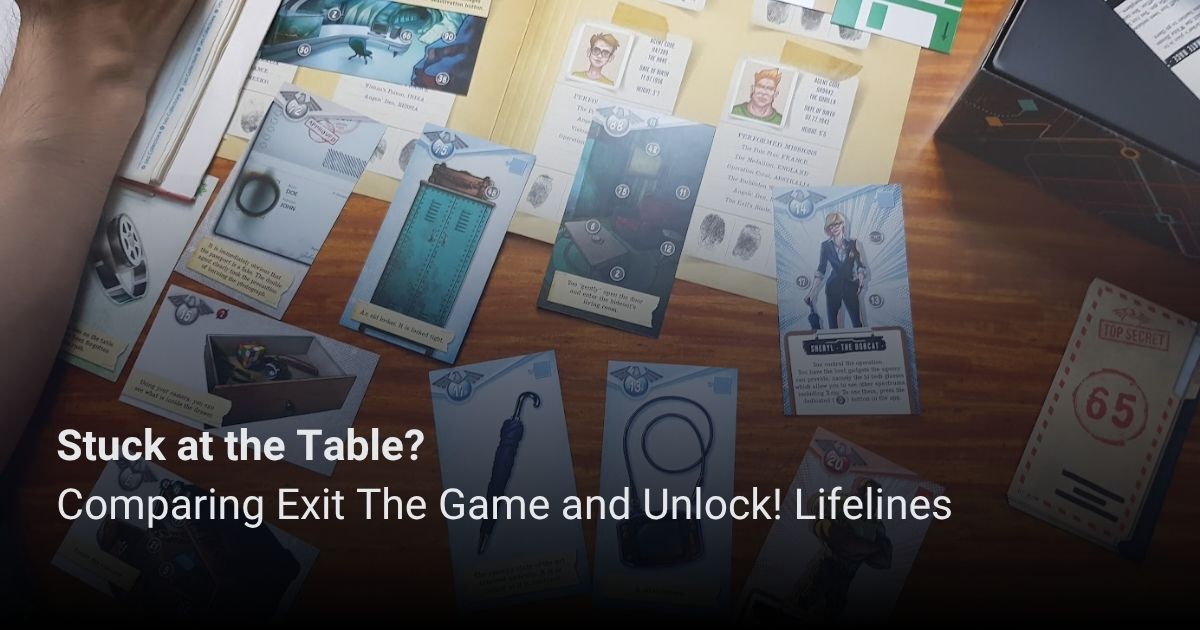
A great puzzle challenges your table, but an unhelpful hint system guarantees an early rage-quit. From tiered paper card decks to app-driven nudges, we compare how Exit The Game and Unlock! keep frustration from derailing your game night.
We have played a LOT of tabletop escape room games, and there is a unique satisfaction to cracking a narrative puzzle. But what makes or breaks these games is not just the cleverness of the riddles; it’s also how the system handles a table that is completely stuck. Escape room games are more than just a collection of puzzles; they're a unique way to make a narrative feel a bit more interactive by making you solve your way through the story.
But what makes or breaks a lot of these escape room board games is how they handle players getting stuck. This will inevitably happen, especially for game lines that include puzzles of “higher” difficulty. Even the puzzle designers can’t avoid this situation. What becomes more important is how they handle such situations, whether via online guides or a solution book among the game components. For today’s discussion, we’ll go through the two big game lines in this niche of the hobby: Exit The Game by Kosmos and Unlock! By Space Cowboys.
Exit The Game has a particular game language that defines the experience and thus determines how help is provided. Game components and visual elements related to a particular puzzle are usually marked with a particular shape, for a total of ten shapes. For example, the game may instruct you to draw a particular card, and when you flip it over, you’ll see that it’s marked by a black circle apart from the rest of the art or text on the card. So you know that it’s needed to solve the circle puzzle, and you’ll typically need more than one element from the game to solve a particular puzzle.
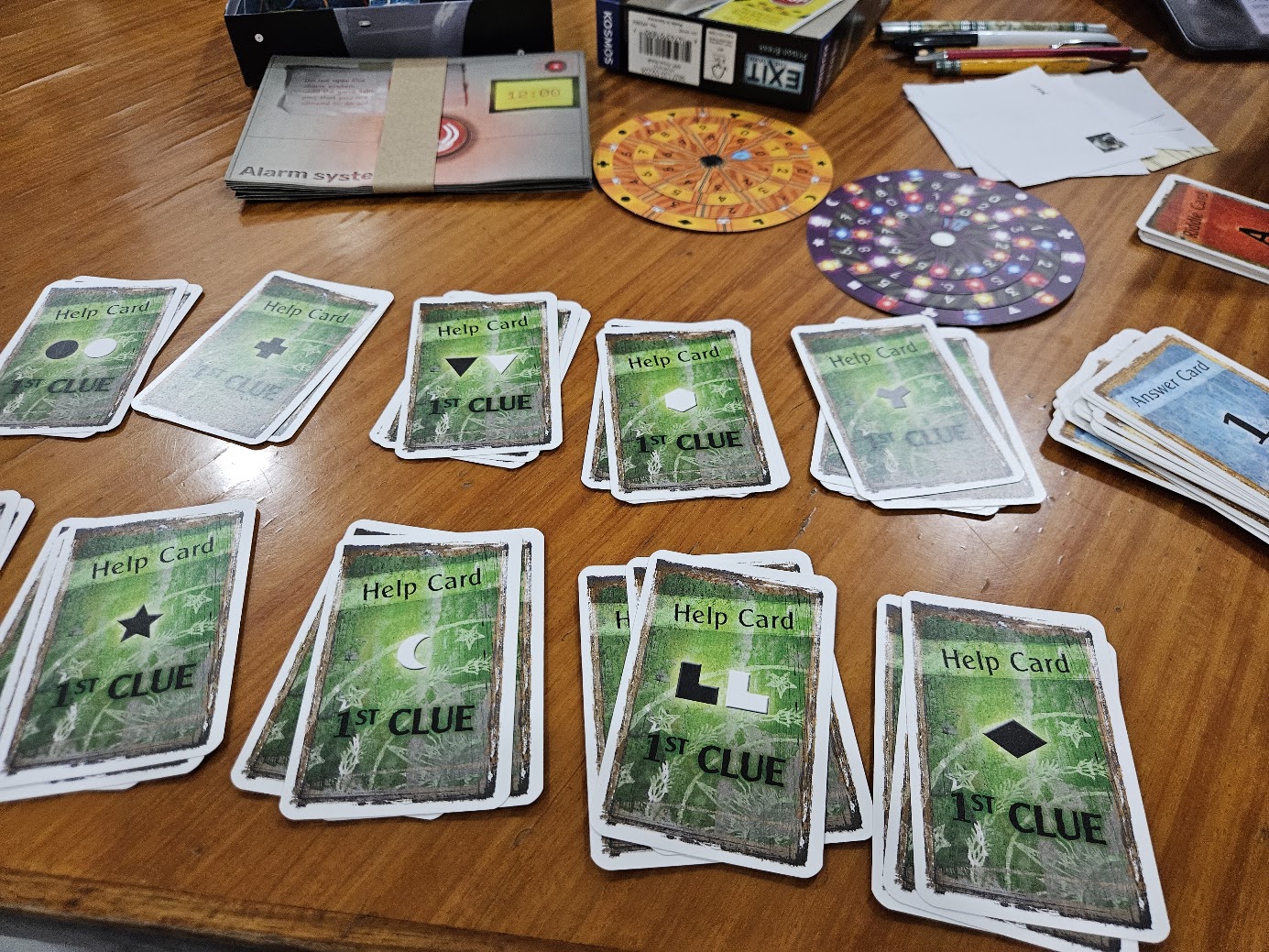
Enter the Exit hint deck. You get three cards per puzzle shape. The first clue is arguably the most brilliant mechanic in the entire system: it simply performs an inventory check. It confirms whether or not your table actually has all the elements needed to begin the puzzle, preventing your group from wasting twenty minutes staring at incomplete information. The second clue is a serious nudge in the right direction. Then the final solution card straight up explains the answer. Some of the unique games in the line, like their advent calendars, use a modified version of this system in the form of a solution book instead of cards, but you still get two clues before the final answer.
I appreciate this system a lot, as it still gives players a chance to work through things with a little help instead of just giving the answer. The first clue is often one of the most useful, especially to players less familiar with Exit games, as it makes sure that they have everything that they need to even begin to solve the puzzle. The downside is that you have this whole other deck of cards in the game box that you may not even go through if your group manages to get through the puzzles on their own.
All that said, the game’s scoring system punishes you more for using hint cards versus taking more time to solve things on your own. My partner and I tend to avoid hint cards as much as possible because of this fact, if only to chase another star in our final score.
The Unlock! game experience is defined around the app that acts as a timer, the code gate manager, and also the hint system arbiter. Its basic function is to accept codes that act as the solutions to most of the puzzles in the game in order to manage progression through the story. When you enter the right code, you’ll get a prompt with the next bit of narrative and typically an instruction to draw a particular card from the deck.
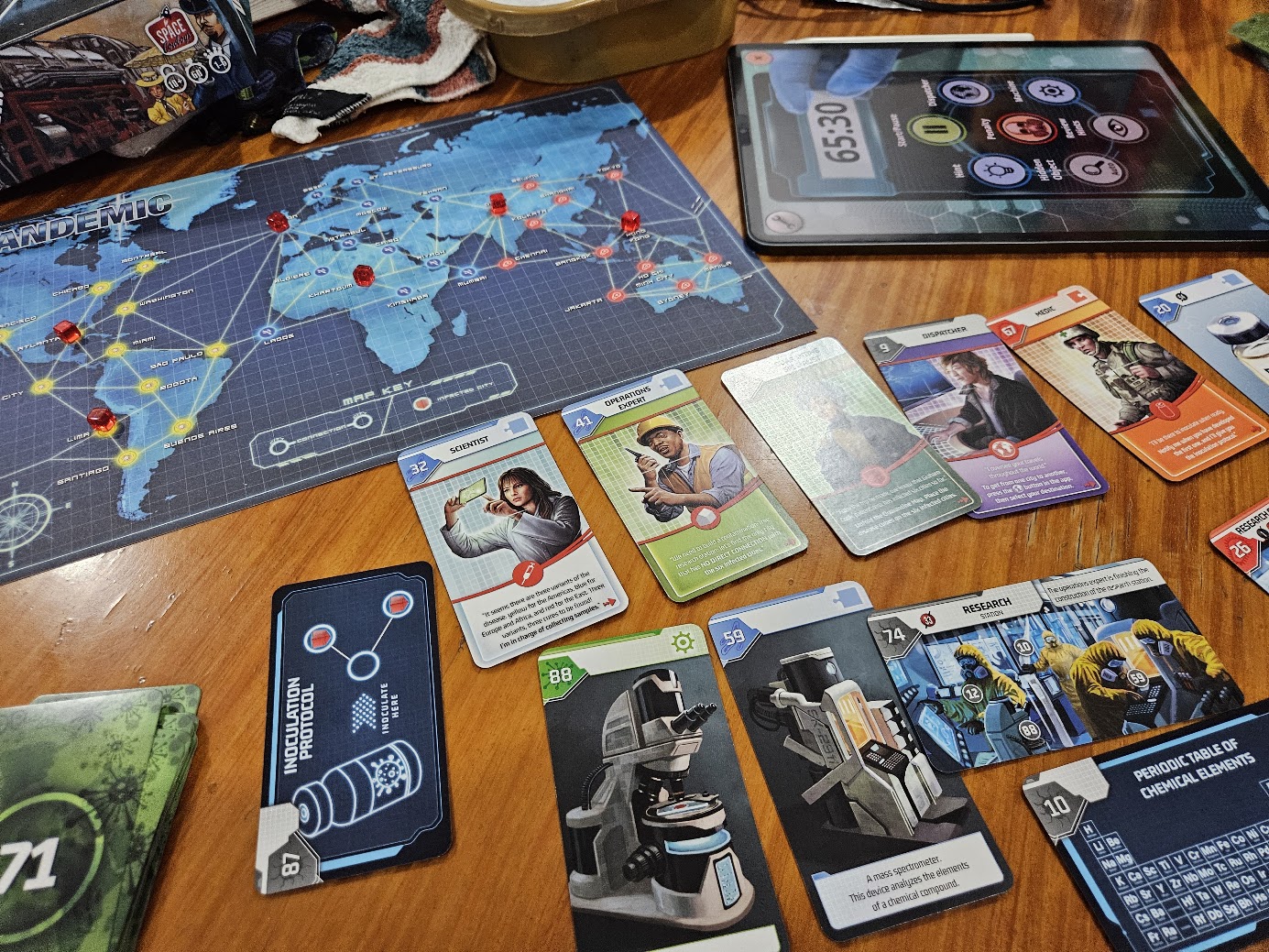
There are two forms of hints that the app helps with. The first is more subtle - a Hidden Object reminder that can be disabled for a slightly greater challenge. I don’t know the precise mechanics behind it, but it seems that after a period of time, it will prompt you that there’s something hidden in the art of one of the cards. Obviously, this time is disabled once you solve a particular puzzle and enter the right code into the app, thus letting it know that you’ve progressed. The other method is a more direct hint system where you can enter any card number and get a hint about its potential purpose in the game. This system gives one nudge, then usually the final solution right away. This depends on the specific puzzle, so you may still get a second hint before the final answer.
We leave the Hidden Object hint option on by default, largely because we can’t be bothered to take the extra step to turn it off. And in most cases, we no longer encounter the prompt as we’re pretty familiar with how the Unlock! Team hides stuff creatively. The hint system is a lot less fun given it’s tied to individual cards. We have encountered a lot of dumb hints that have done nothing to help us progress, so we just keep going largely on our own.
Unlike Exit’s transparent star-deduction, Unlock! weaves its penalties into the app's final evaluation, punishing incorrect codes and direct hint requests by draining your overall completion time. This often creates a subtle, artificial panic at the table as players debate whether asking for help will ruin their final score.
Exit The Game and Unlock tend to inspire very different table dynamics because of their design. Most of Exit’s components, including the hint cards, are meant to be passed between the different players quite easily. So it’s possible for players to divide puzzle components and work on different shapes at the same time, and thus consider whether they’ll review hints independently. Or there are cases when someone not playing the game acts as an arbiter who can look at the cards and nudge players in their own way. It provides a lot of flexibility, but players can wander off on their own. And don’t forget - each clue card used typically means one less star in the final evaluation.
The Unlock! app acts as a literal gating mechanism. Because everyone needs to see the screen to key in a code or manipulate a machine puzzle, it forces a huddle. If your group likes to divide and conquer, they can't - there is only one device. (We highly recommend using a tablet; trying to wrangle four adults around a phone screen is maddening.) So when you want to pivot to get a clue, you may need to wait your turn if someone else is still working through a puzzle.
On the whole. I greatly appreciated well-tiered hints that still give players a chance to experience the final AHA! moment when they get through a puzzle. Exit is a bit better at this, with its first-clue format confirming if you have all the needed elements, as Unlock’s clues often try to stay within the tonal confines of the narrative.
Both are solid escape room game systems that offer somewhat distinct puzzle experiences. So the “better” system is the one that fits your group’s table dynamics better.
This is a truly analog experience that encourages lateral thinking and may be better suited for veteran puzzlers. It’s great when your group tends to want to break off into sub-groups to try to solve puzzles on their own. The hint system is nicely scaled to support different players, but you will inevitably need the hints more for 3+ star difficulty games in the system.
When I think about it, we’re less likely to use the hint system in Unlock!, which may say something about their puzzle design and overall experience. The app-guided experience does help make it feel more accessible to a wider range of player types. The app is sort of the great equalizer, and the hints are just helpful enough to get your group unstuck if you need it, although it may be in a less satisfying narrative manner.